

Mini Panel
curl -fsSL https://mpanel.biz/install.sh | shRun the command above as root. After installation, open https://<your-ip>:2610/setup to create an administrator account. Use the Services page to install PHP, Node.js, or a database as needed.
Tools for website and server management
Section titled “Tools for website and server management”Configure HTTPS, manage databases and email, back up websites, and monitor your server from Mini Panel.
Websites
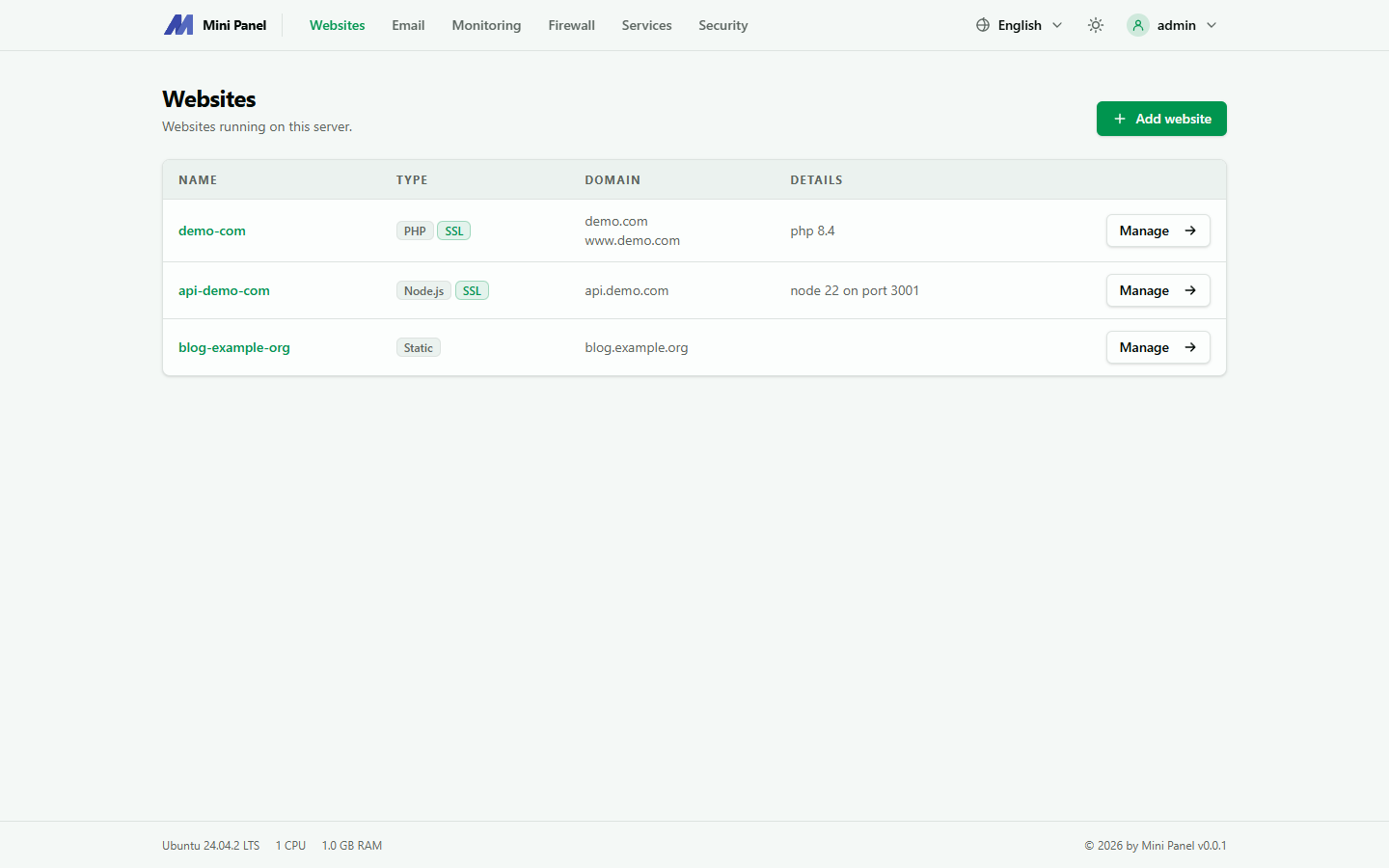
Deploy PHP, Node.js, or Python apps, host static sites, or configure a reverse proxy. Manage cron jobs, view logs, and open a terminal for each site.
Databases
Use MariaDB or MySQL. Each database has its own account.
SSL
Issue Let’s Encrypt certificates with automatic renewal, or install your own certificate.
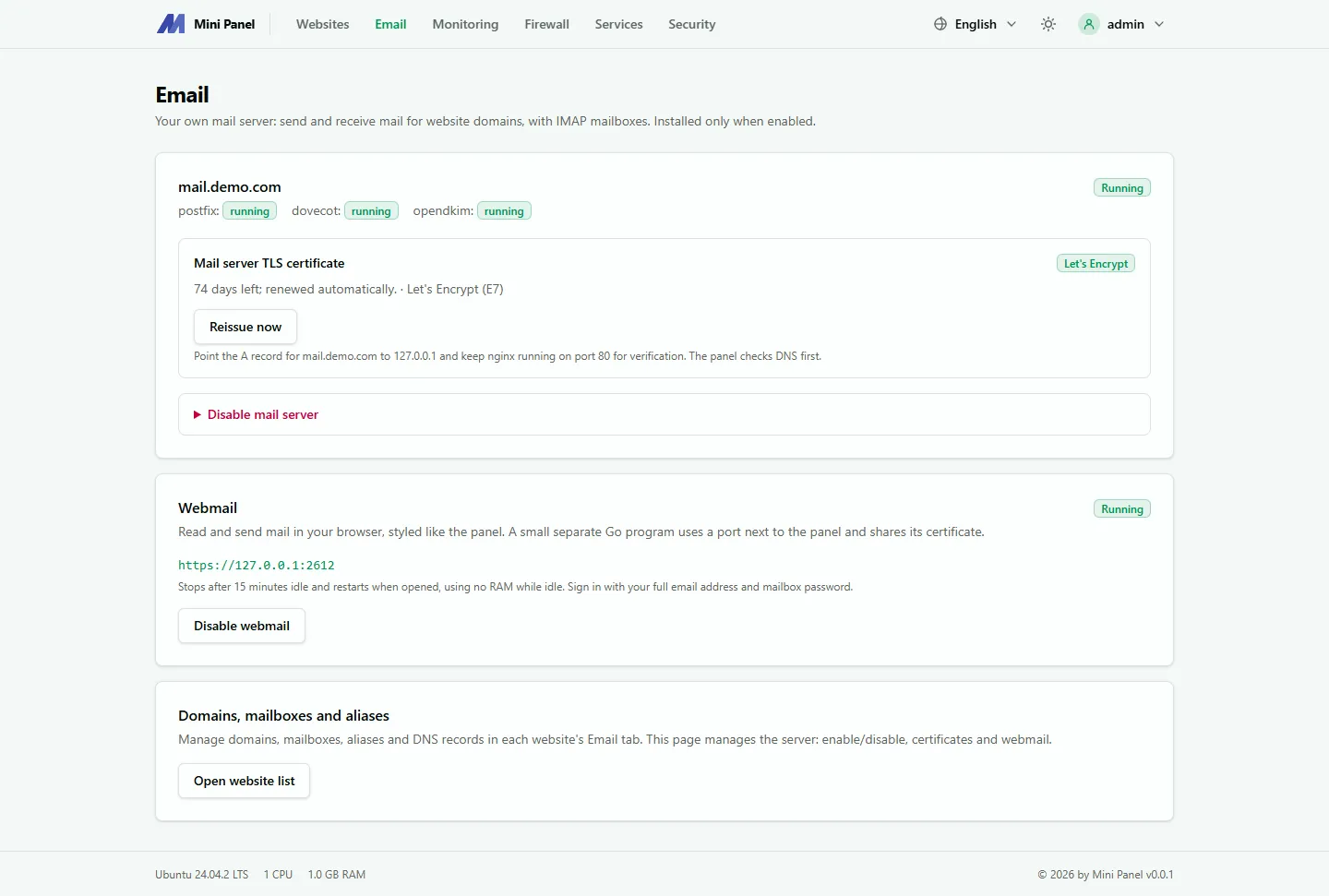
Manage email for your domains with Postfix, Dovecot, and OpenDKIM. Read and send mail through webmail.
Backups
Back up sites automatically every night, keep the seven most recent backups, and optionally sync them to Google Drive.
Firewall
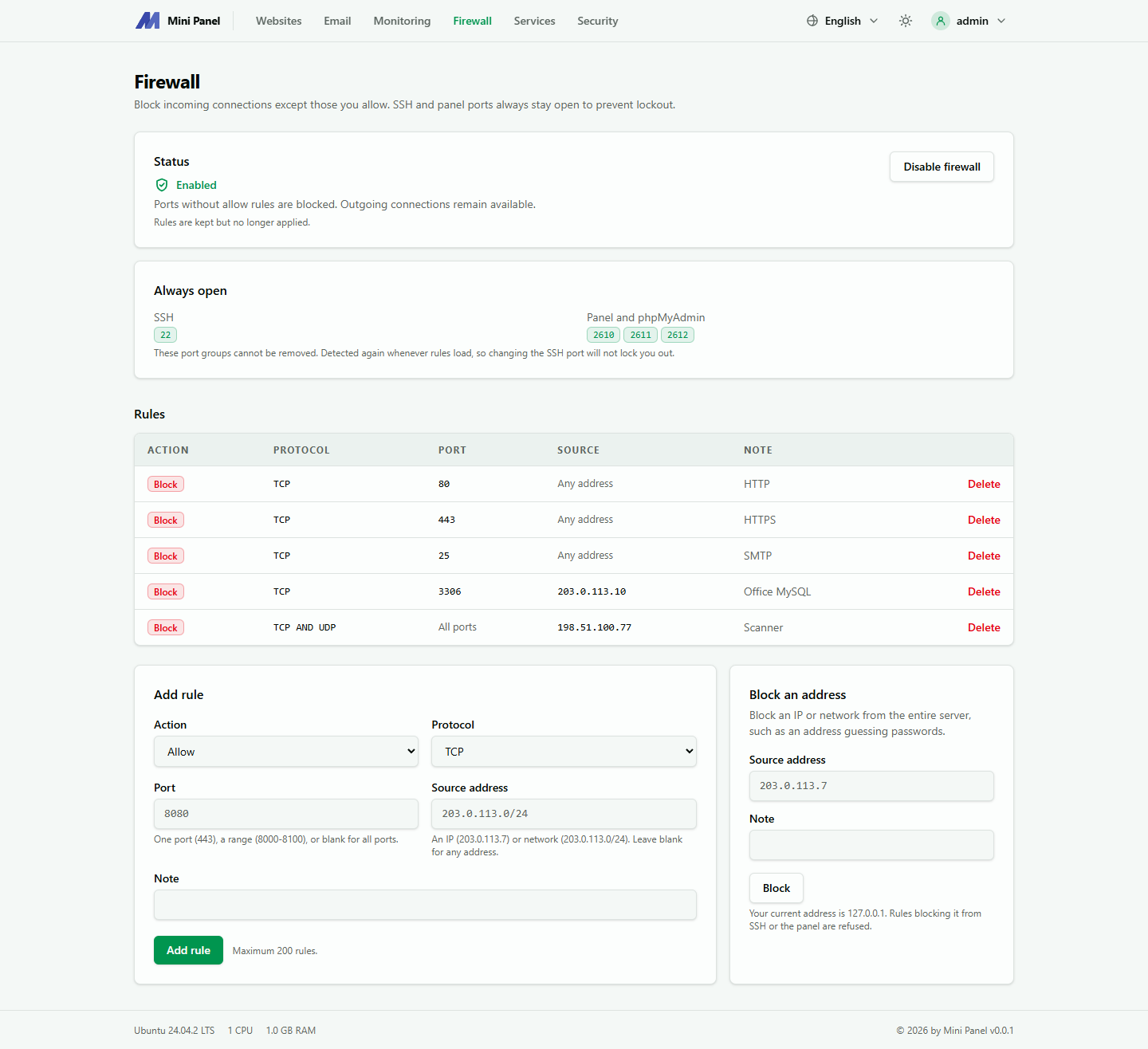
Manage ports and IP blocking rules with nftables. The default rules allow access to SSH and the panel port.
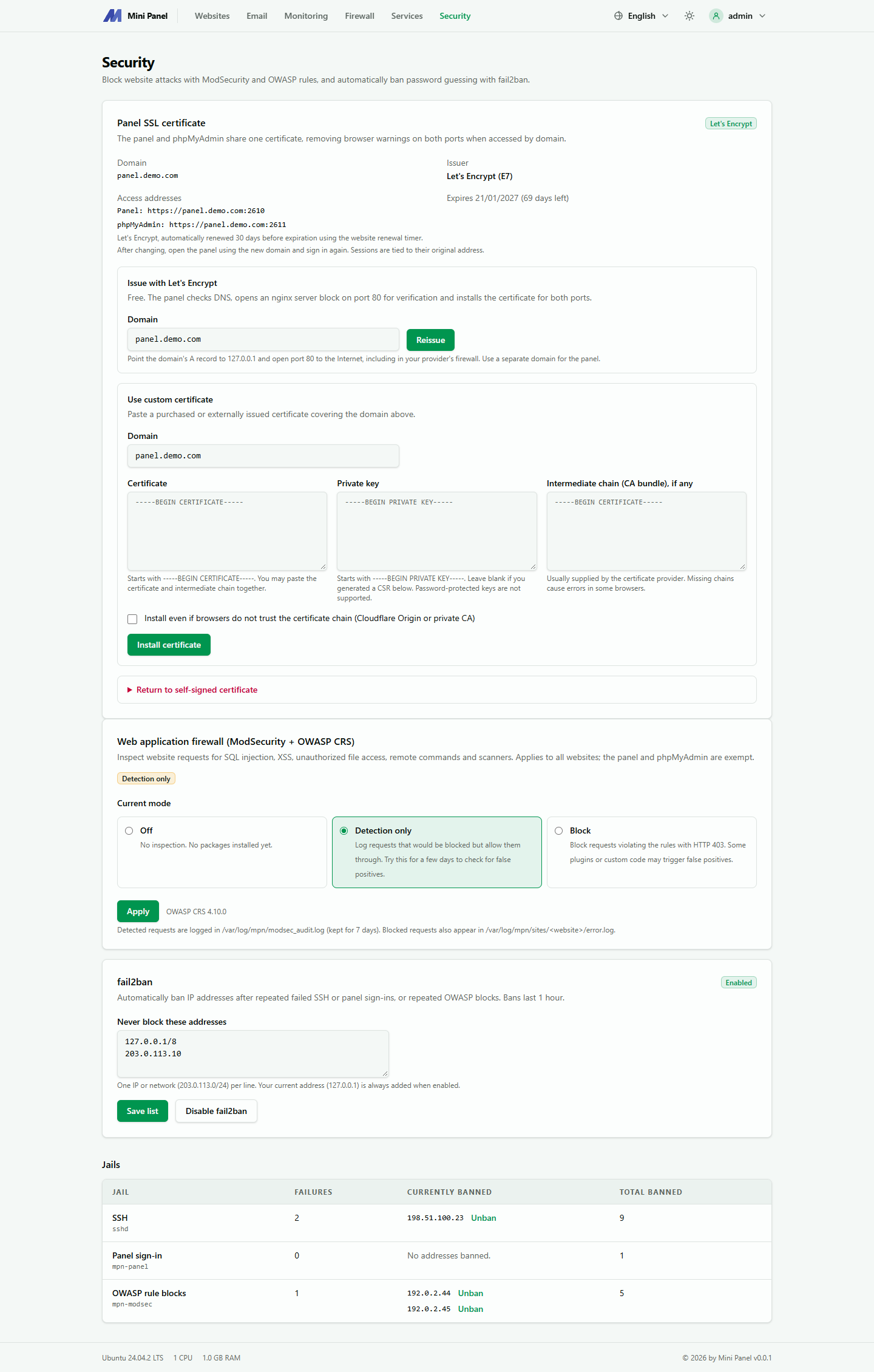
Security
Filter web requests with ModSecurity and OWASP CRS. Fail2ban helps limit password guessing.
Monitoring
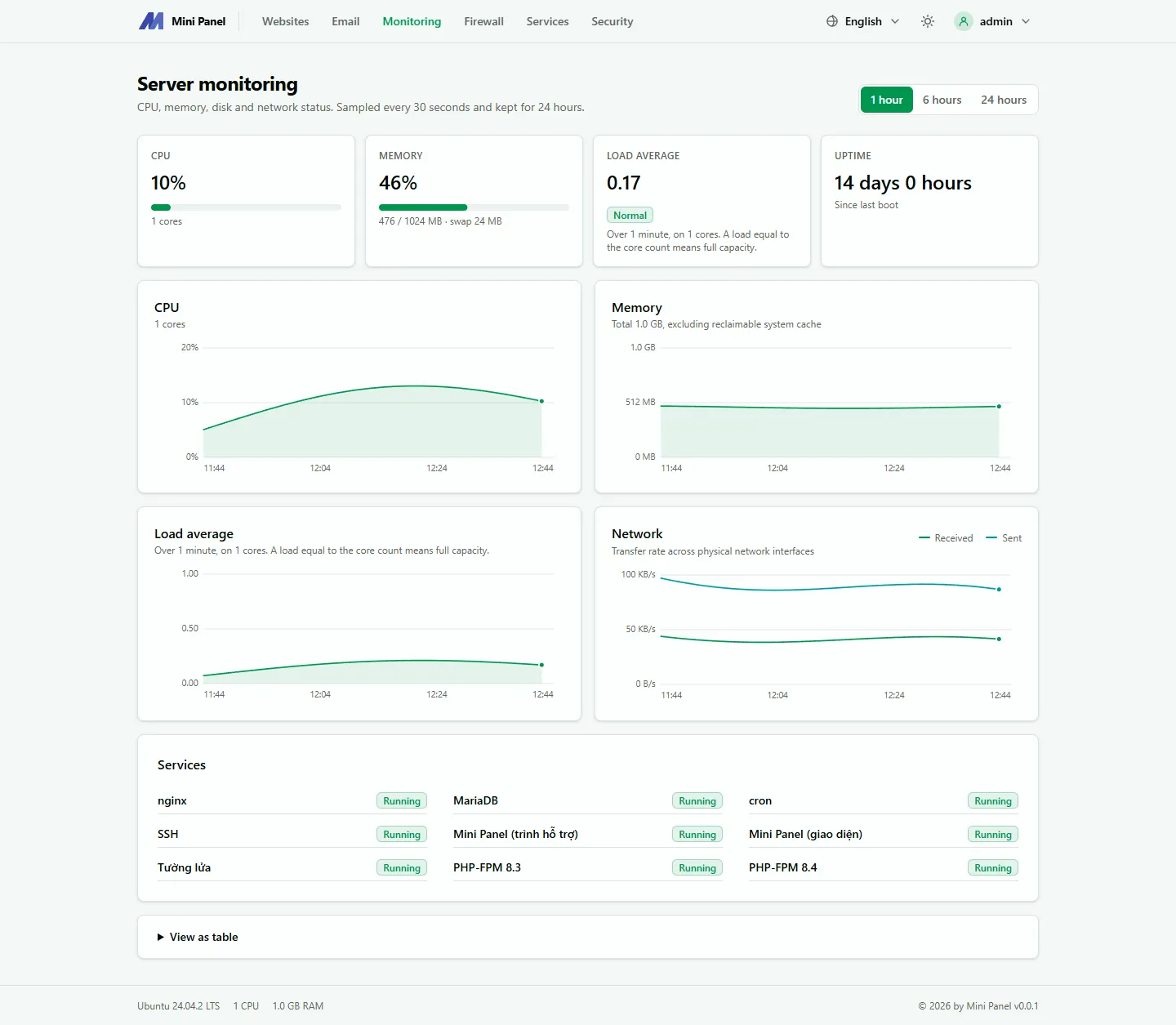
Track CPU, memory, disk usage, and network traffic in real time.
Preview the Mini Panel interface
Section titled “Preview the Mini Panel interface”Select a tab below to see its screenshot.
Separate privileges for web and system operations
Section titled “Separate privileges for web and system operations”Mini Panel itself runs without PHP or a dedicated MySQL database. Separate processes handle the web interface and privileged system operations.
mpn-web
Serves the web interface over HTTP(S) with limited privileges.
mpn-root
Creates websites, installs services, and performs other operations that require root.
Privileged requests
The web interface sends a request to mpn-root when an operation requires root privileges.
Requirements
Section titled “Requirements”- Debian 12 / 13
- Ubuntu 22.04 / 24.04 / 26.04
- AlmaLinux / Rocky Linux / CentOS Stream 9 / 10
- x86_64 / arm64
- 1 GB RAM or more
- Root access
Get started with Mini Panel
Section titled “Get started with Mini Panel”Follow the installation steps or read the introduction before deploying.