
Firewall
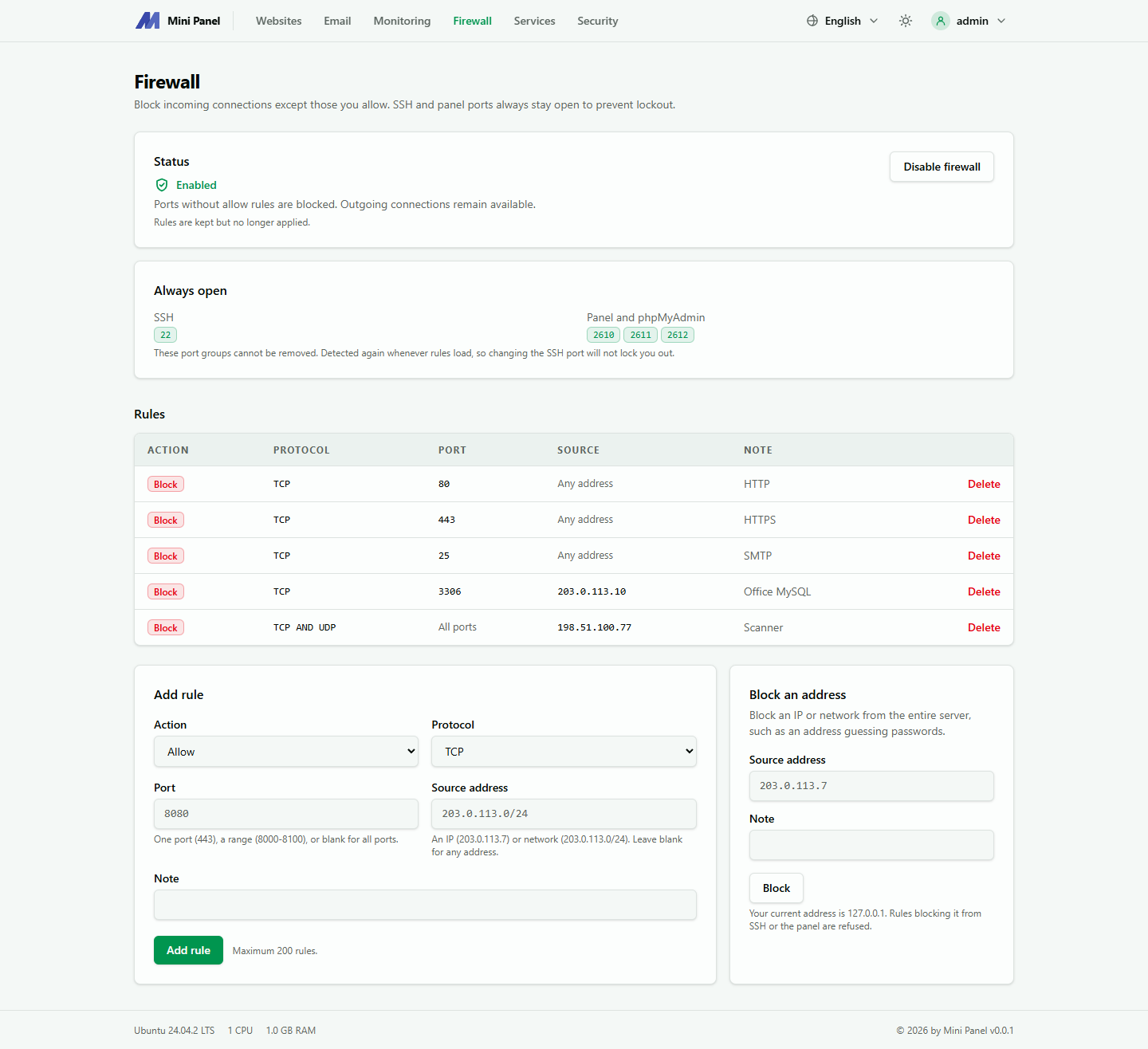
The Firewall page blocks every connection to the server except what you allow. The panel uses nftables.
Always open
Section titled “Always open”The SSH port and the panel port (with phpMyAdmin) are always open and cannot be deleted, so you cannot lock yourself out. They are detected again every time rules are loaded, so changing the SSH port does not cut your connection.
Turning it on
Section titled “Turning it on”Click Enable firewall. The first time, the panel installs nftables if missing and opens ports 80 and 443 (websites) plus the SSH and panel ports. The server can still reach the Internet normally.
Disable firewall keeps the rules and only stops applying them. If the machine runs ufw, turn it off first: two firewalls together make the rules unpredictable. On AlmaLinux, Rocky Linux and CentOS Stream the installer has already turned firewalld off.
Adding a rule
Section titled “Adding a rule”| Field | Meaning |
|---|---|
| Action | Allow or Block |
| Protocol | TCP, UDP or both |
| Port | A port (443), a range (8000-8100), or blank for all ports |
| From address | One IP (203.0.113.7) or a network (203.0.113.0/24); blank for all addresses |
| Note | Optional |
There is a maximum number of rules, shown next to the add button.
Block an address
Section titled “Block an address”The Block an address section blocks an IP or a network from the entire server, for example an address guessing passwords.