
Services
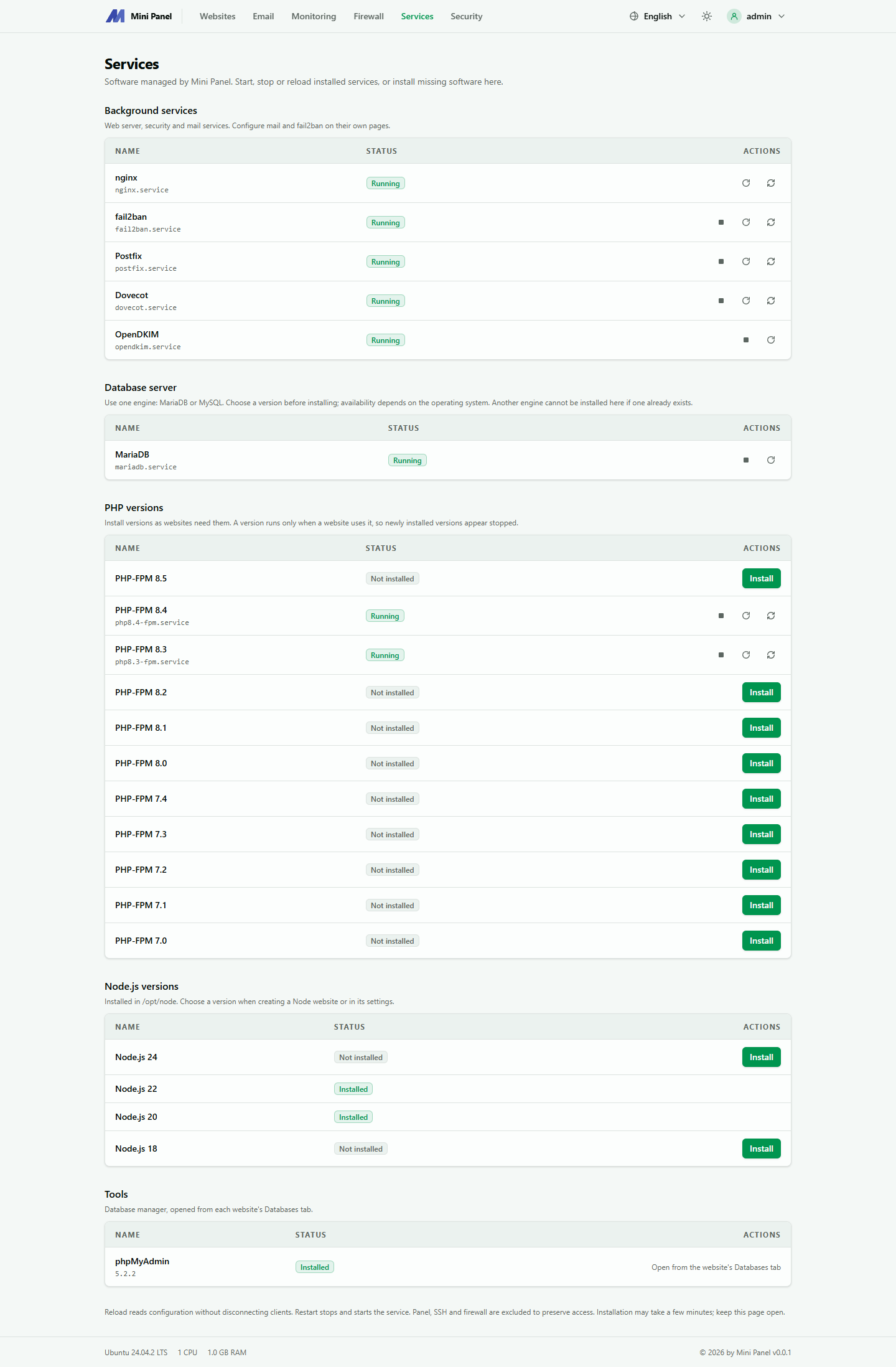
The Services page lists what Mini Panel manages on the server. Installed components can be started, stopped or reloaded right here. Components that are not installed can be installed with one button.
Service groups
Section titled “Service groups”- Background services: the web server, security and mail server programs. The mail suite and fail2ban are installed from their own pages.
- Database server: each machine uses one kind, MariaDB or MySQL. Pick a version before installing. Available versions depend on the operating system. Once one exists, the other kind cannot be installed here.
- PHP versions: install more when a website needs them. A version runs only when a website uses it, so a freshly installed version shows as stopped.
- Node.js versions: installed into
/opt/node. A Node website picks its version at creation or in its settings. - Tools: phpMyAdmin, opened from the button in each website’s Databases tab.
States and actions
Section titled “States and actions”States: Not installed, Installed, Running, Stopped, Failed.
- Reload: re-reads configuration without dropping existing connections.
- Restart: stops then starts again.
- Stop: websites using the service will not work properly until it is started again. The panel asks for confirmation.
- Install: can take a few minutes, so do not close the page.
The panel, SSH and the firewall are not in this list, because stopping them would cut your access.